Using Longhorn with K3s
estimated read time: 2 minutes
What is a Persistent Volume?
A Persistent Volume (PV) is a piece of storage in the cluster that has been provisioned statically or dynamically using Storage Classes. It's a cluster resource, much like a node, and has a lifecycle independent of any individual Pod that uses it.
What is Longhorn?
Longhorn is a lightweight, reliable, and easy-to-use distributed block storage system for Kubernetes.
Why Do You Need It?
Because we're running our cluster on physical hardware rather than a cloud provider, we don't have access to the quality-of-life features you'd normally get from the cloud—such as high availability and automated backup tools. When using our own hardware, we need to take on this responsibility ourselves.
Containers should be stateless, but sometimes we need to maintain state. Examples include:
- Databases
- Persistent data stores
Features of Longhorn
High Availability
Longhorn works as a DaemonSet, so by default storage is replicated across cluster nodes. The advantage is that if one drive becomes unavailable, one of the replicas takes over as the active storage node. The disadvantage is that this duplication multiplies storage requirements by the number of nodes.
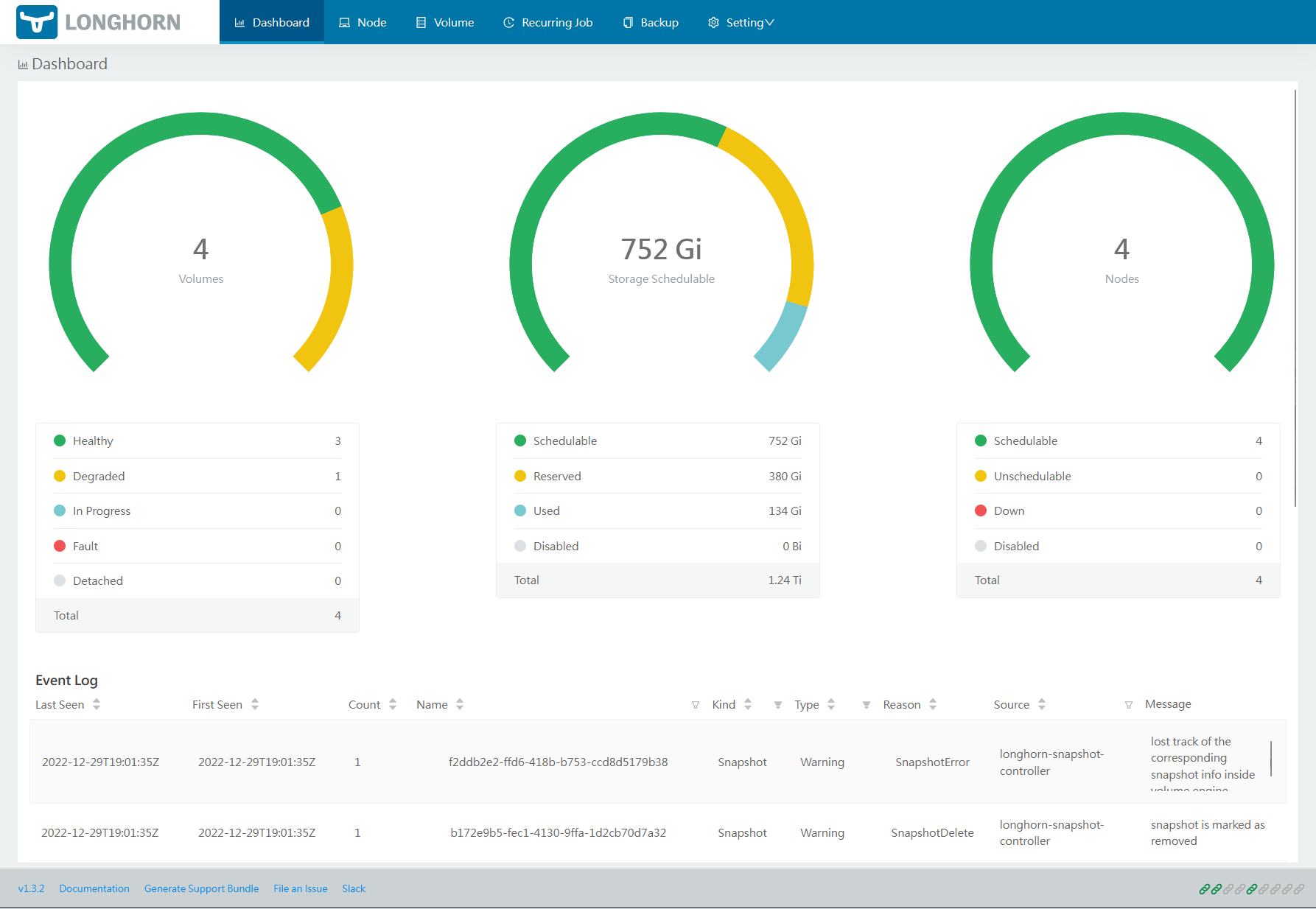
In my setup with four nodes, each 1GB of storage requires 4GB in total.
Setting Up Longhorn
Installing Longhorn
Using kubectl
kubectl apply -f https://raw.githubusercontent.com/longhorn/longhorn/v1.3.2/deploy/longhorn.yaml
This can take a while. You can watch the status of the pods with:
watch kubectl get pods --namespace longhorn-system
Once all pods are running, create an Ingress rule for the service. Create a file called ingress.yaml, replacing <master_node> with the IP of one of your master nodes:
apiVersion: networking.k8s.io/v1
kind: Ingress
metadata:
  name: longhorn-ingress
  namespace: longhorn-system
  annotations:
    kubernetes.io/ingress.class: "traefik"
spec:
  rules:
    - host: "longhorn.<master_node>.nip.io"
      http:
        paths:
          - path: /
            pathType: Prefix
            backend:
              service:
                name: longhorn-frontend
                port:
                  number: 80
Apply the configuration:
kubectl apply -f ingress.yaml
Pi Cluster Series
- Part 1 — Introduction: Pi Cluster
- Part 2 — Setting Up the Cluster
- Part 3 — Persistent Storage with Longhorn ← you are here
- Part 4 — Offsite Backups with AWS S3
- Part 5 — Load Balancing with MetalLB
- Part 6 — Ingress and TLS with Traefik v3
- Part 7 — Edge Protection with Cloudflare
Related Articles
Blocking AI Scrapers: Protecting Your Content from Unauthorised Training Data
68% of my blog traffic this week was AI scrapers harvesting content for training data. Here's how I'm blocking OpenAI, Anthropic, Meta, and other AI crawlers — and why you should too.
Automating Cloudflare DNS Updates from a Kubernetes CronJob
When my ISP started rotating my residential IP weekly, I stopped updating Cloudflare manually and built a Kubernetes CronJob that does it automatically every 15 minutes.
k3s HA on Raspberry Pi: Zero-Downtime Cluster in 45 Minutes (Multi-Master + MySQL)
Stop single-point failures. Build a production-grade k3s cluster with 3 master nodes, external MySQL, and load balancing—all on budget Pi hardware. Step-by-step guide with troubleshooting.
Setting Up MetalLB on K3s
How to install MetalLB on a bare-metal K3s cluster to get real LoadBalancer services without relying on a cloud provider.